The self-hosted Mail App, built for Cloudflare.
Business email, calendar, contacts and shared inboxes on your own custom domain. Everything runs inside your own Cloudflare account, so your data stays yours, there are no per-seat fees and nobody reads your mail but you.
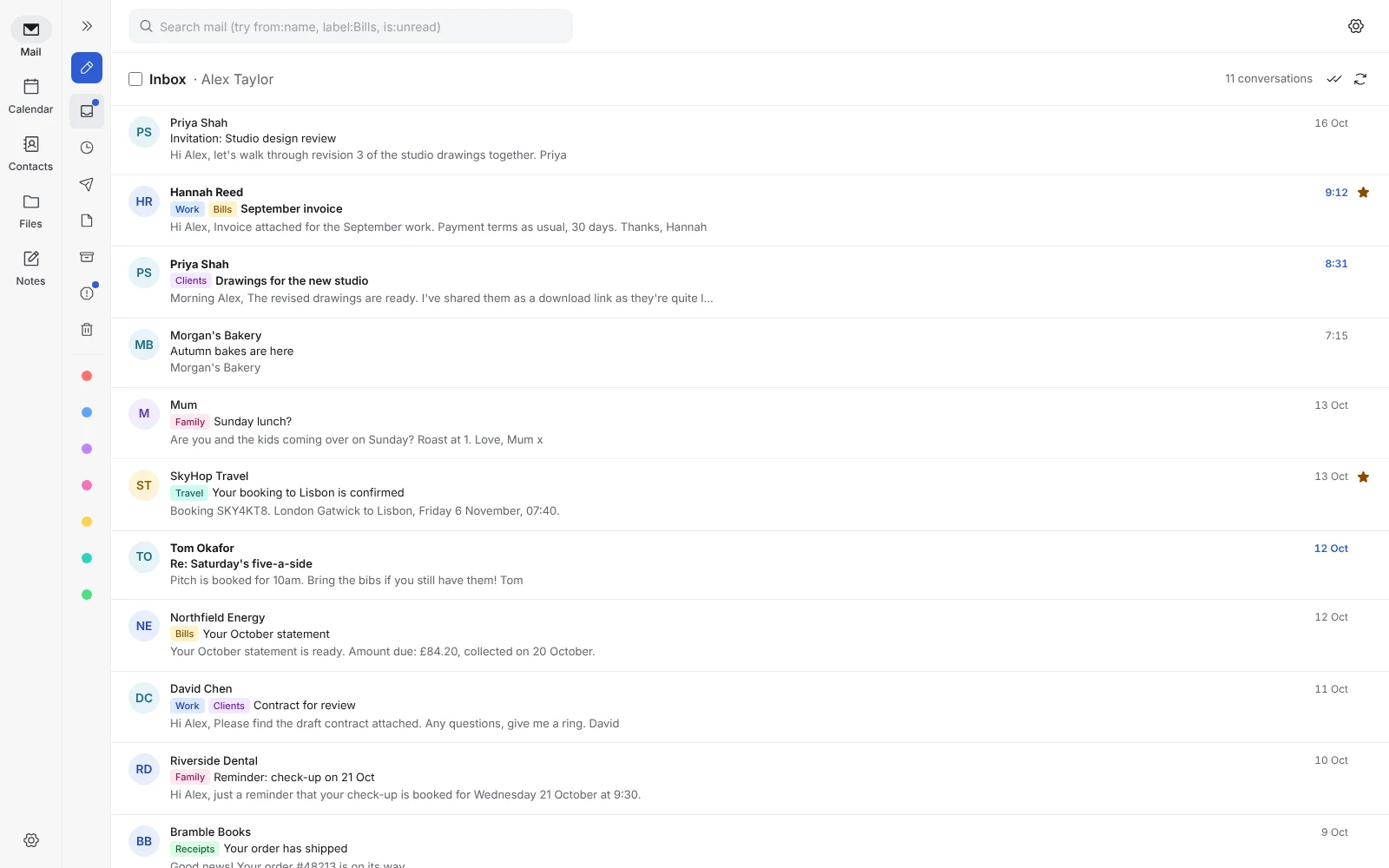
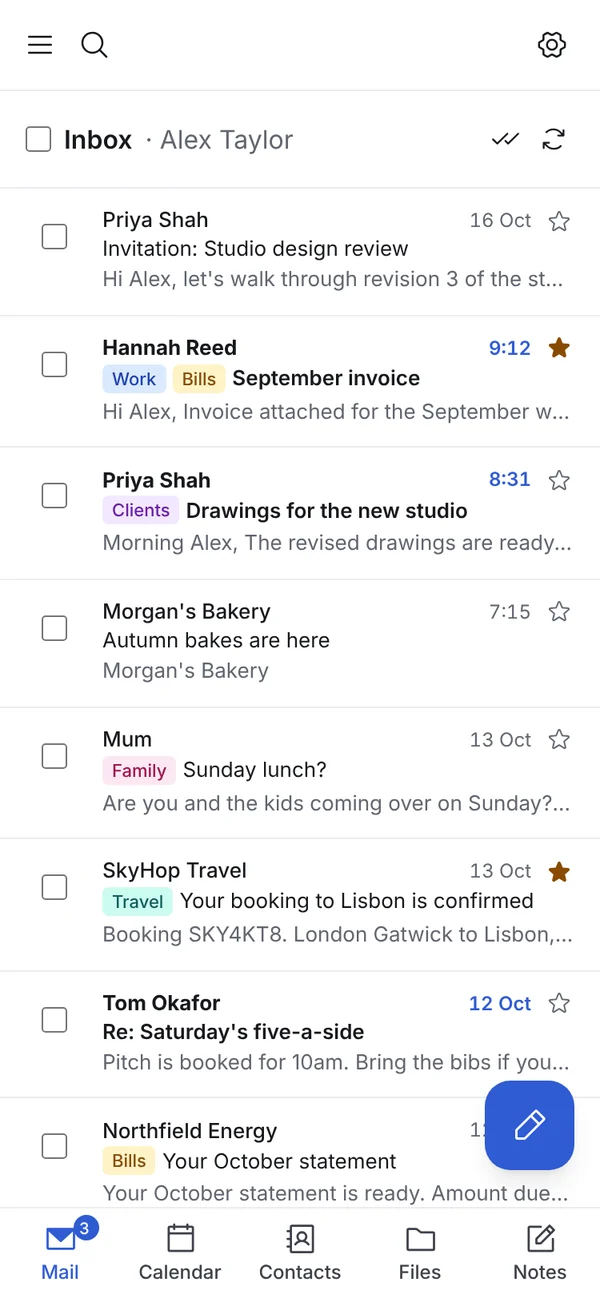
- Folders and colour labelsTraditional folders, Gmail-style labels or both
- Shared inboxes (Pro)sales@ and hello@ for the whole team
- Shared calendars (Pro)Team calendars on your computer and phone
- Masked emailA different address for every website
- Unlimited domains3 free; every domain you own with Pro
- Unlimited aliases10 for each mailbox free; no limit and catch-all with Pro
- Spam filter that explainsScams caught, with a plain English reason
- JMAP and Outlook (Pro)Modern JMAP apps or classic Outlook
// take the tour
Everything your domain needs. In one self-hosted suite.
Webmail, calendar, contacts and encrypted file storage in a single install, instead of a monthly subscription for every user.
A fast, clutter-free inbox for every domain you own.
Send and receive email from name@yourdomain.co.uk with folders, labels, automated inbox rules, snooze, scheduled send and follow-up reminders.
- Folders and colour-coded labels
- Snooze and scheduled send
- Follow-up reminders if nobody replies
- One-click newsletter unsubscribe
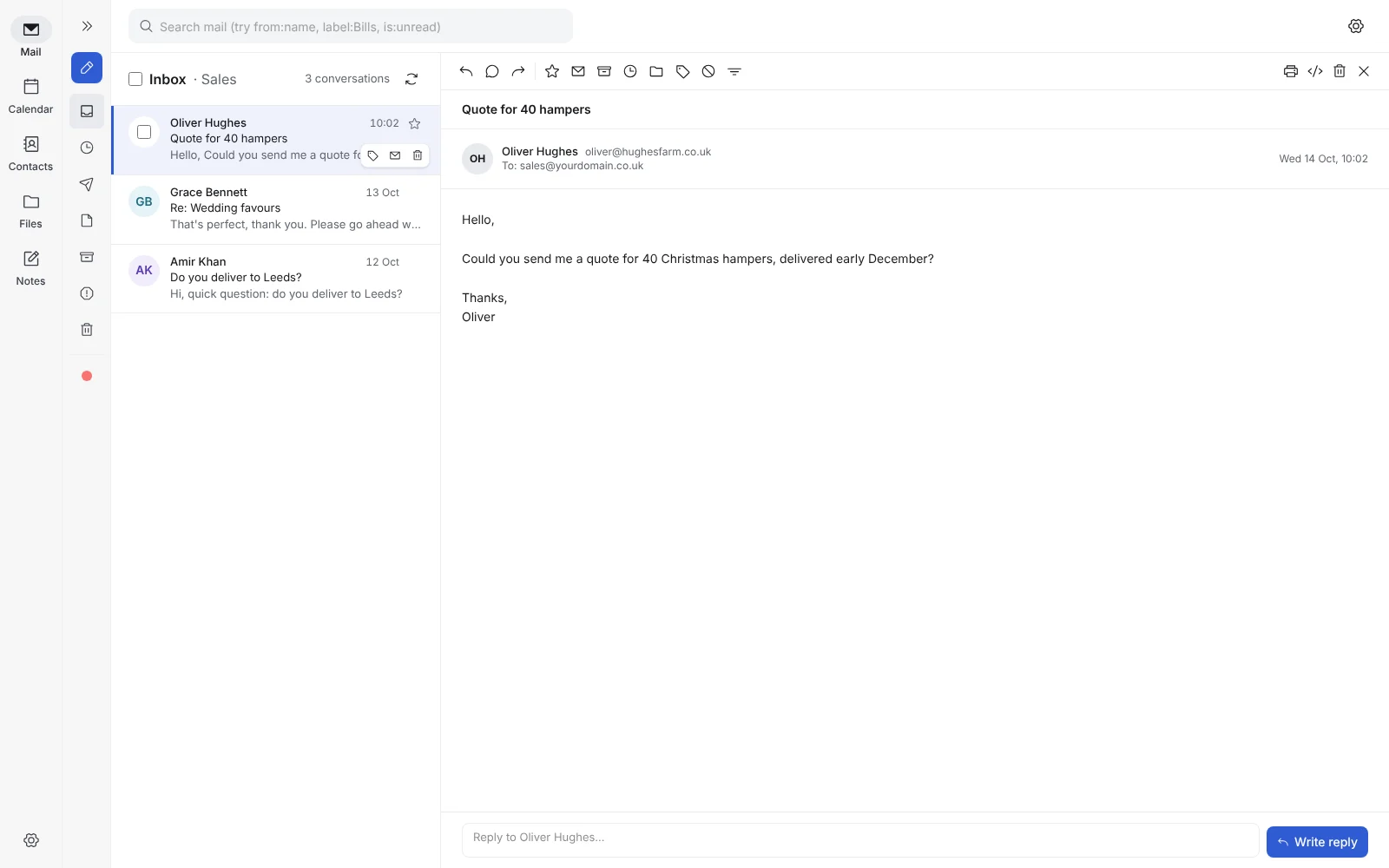
Your calendar, right beside your inbox.
Month, week, day and agenda views, standard calendar invitations (.ics) with replies tracked, repeating events and team calendars. It syncs with Apple Calendar, Microsoft Outlook and Google Calendar.
- Invitations that work with every provider
- Shared team calendars (Pro)
- A free Jitsi Meet link in one click, or paste Zoom, Teams or Google Meet
- Reminders on all your devices
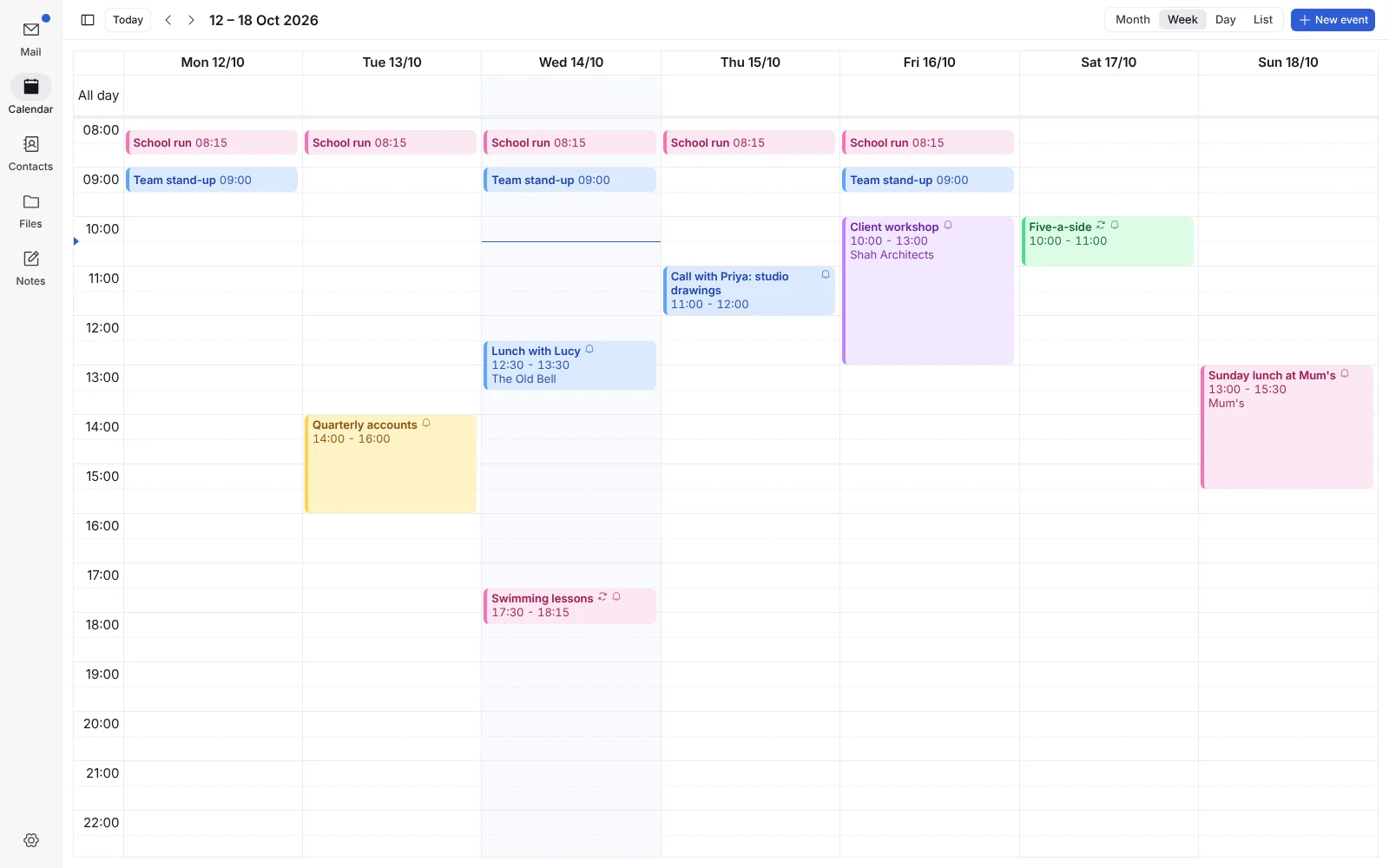
Shared inboxes for your whole team. No per-seat fees with Pro.
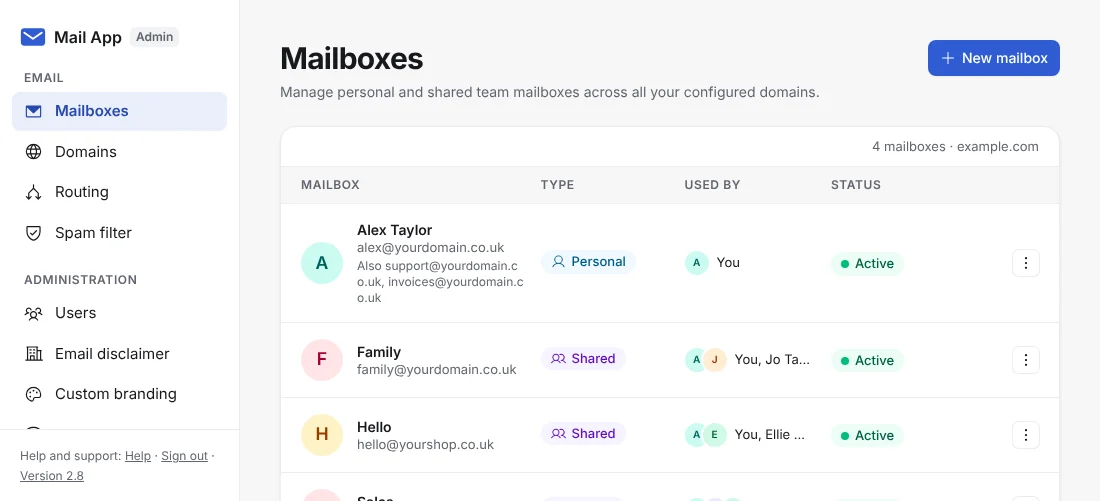
Put hello@, sales@ and support@ in every team member's sidebar, with each reply showing which colleague sent it. Team members sign in with their own details and only see the mailboxes you give them.
- Shared inboxes
- Access set mailbox by mailbox
- Admin console
- White-label branding with your own logo and colour
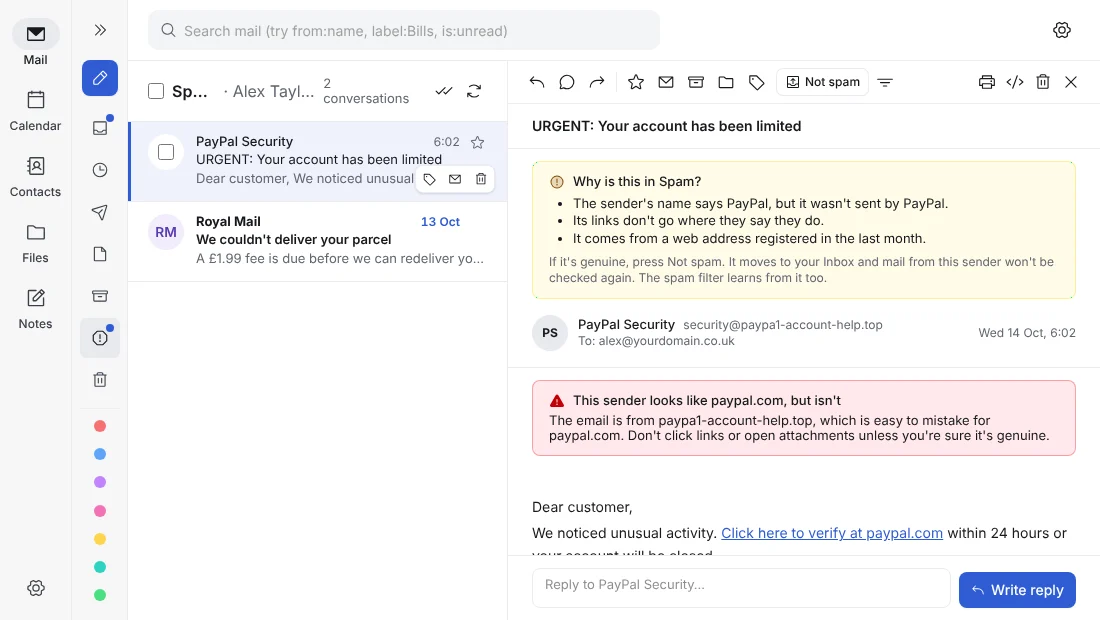
Phishing blocked. Trackers stripped. Your real address hidden.
Every message moved to Spam says in plain English why. Masked email aliases keep your real address out of data breaches, tracking pixels are removed automatically and you sign in with a passkey, no password.
- Spam and phishing filter that explains
- Masked email addresses
- Tracking pixels removed automatically
- Passkey sign-in
Your files and nightly backups, in your own storage.
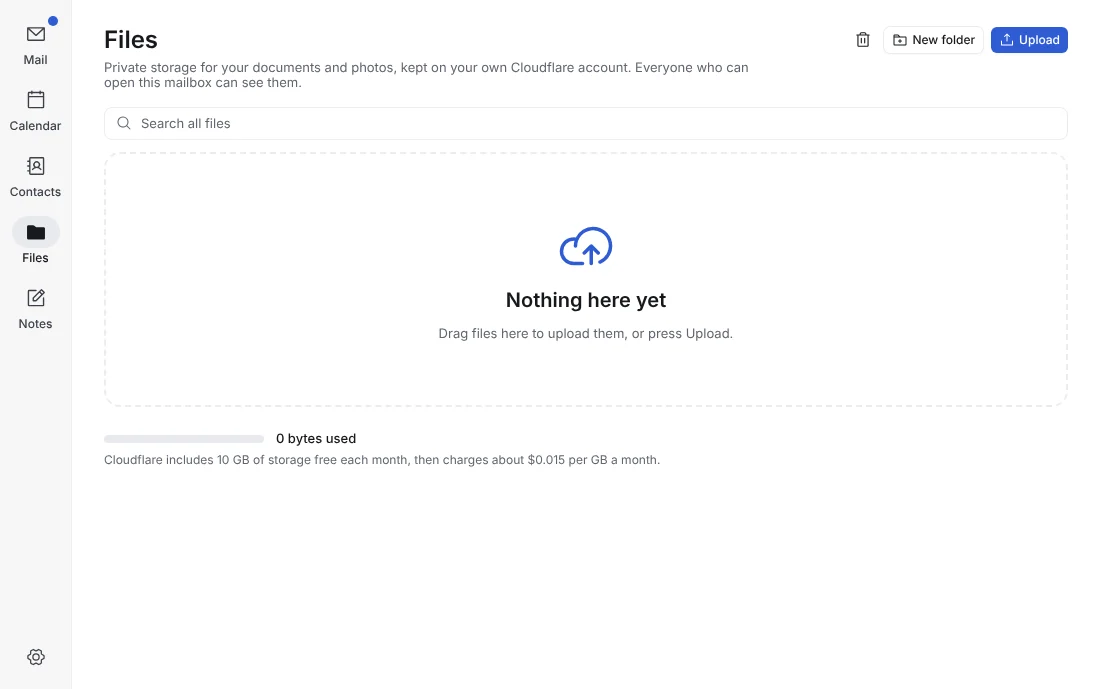
Keep documents beside your email in Cloudflare R2, share files up to 95 MB as encrypted download links and get automatic nightly backups. Move your mail in from Gmail, Apple Mail or Thunderbird in minutes.
- File storage built in
- Encrypted links for files up to 95 MB
- Automatic nightly .mbox backups
- Moving in from Gmail, Apple Mail and Thunderbird
// use it anywhere
Use it in your browser, on your phone or in classic Outlook.
Mail App installs as an app (a Progressive Web App) on your computer and phone for free. With Pro it also works as a JMAP server for modern mail apps and connects to classic Outlook on Windows through Mail App Bridge.
// running costs
Pay Cloudflare only for what you use. Never per user.
Mail App is free to start. Cloudflare bills your account for what it uses, whether you have one mailbox or fifty. Figures checked 29 October 2026; Cloudflare's own pricing always applies.
- $0/monthTo receive. Cloudflare's Free plan receives email at no cost, so you can try Mail App for nothing.
- $5/monthTo send. Cloudflare Workers Paid includes 3,000 outgoing emails a month for your whole account.
- $3.50Per 10,000 extra. Busier teams pay low usage-based rates for extra emails and storage.
// free and pro
Start free. Upgrade to Pro as your team grows.
Free covers personal and family email, calendar and contacts. Pro is built for businesses and teams, with shared inboxes, shared calendars, JMAP, Outlook, unlimited accounts and white-label branding.
Mail App Free
Freeforever, for personal and family email
- Up to 3 custom domains
- Up to 3 mailboxes
- Up to 10 aliases for each mailbox
- Webmail, calendar, contacts, files and notes
- Labels, rules, masked email and spam filter
- Install as an app on computer and phone
- Community help on GitHub
Mail App Pro No limits
Yearly licenceno monthly or per-seat fees
Everything in Free, plus:
- Unlimited custom domains and mailboxes
- Unlimited aliases and catch-all routing
- Shared team inboxes and shared calendars
- JMAP mail apps and Outlook Bridge
- White-label branding: your logo, name and colours
- No Mail App name on sign-in pages or emails
- Priority help by email
- Supports Mail App's development
// quick install
From Cloudflare account to live inbox in minutes.
All you need is a free Cloudflare account and a domain using Cloudflare DNS. The installer sets up Cloudflare for you.
- Make a Cloudflare API tokenRun the help command to see exactly which permissions it needs.
- Run the installerPick your domain and web address. Email Routing, DNS records, storage and sign-in are set up for you.
- Sign in with a passkeyOpen mail.yourdomain.co.uk and start sending straight away.
npx @mrpwob/mail-app helpnpx @mrpwob/mail-app setup
// core features
Everything you expect from modern email. Plus privacy tools you won't find elsewhere.
Core email, calendar and privacy features are free. Shared team tools, JMAP, Outlook and white-label branding come with Pro.
Your email, your domain
- Custom domain emailSend and receive email from name@yourdomain.co.uk.
- Multiple mailboxesUp to 3 mailboxes free; unlimited mailboxes with Pro.
- Aliases and catch-all routingRoute hello@ and support@ into one inbox, with a catch-all for each domain. Replies go from the address the email was sent to.
- Email forwardingForward incoming mail to other addresses with or without keeping a copy. Spam is never forwarded.
A productive inbox
- Folders and labelsOrganise with folders, colour-coded labels or both, with full-text search.
- Automated inbox rulesFilter, label, star, mark as read or bounce messages automatically, and run rules on mail you already have.
- One-click unsubscribeUnsubscribe, or unsubscribe and block, from the top of a newsletter.
- Inline quick replyWrite a reply beneath a message or pop out into the full composer with your signature.
Built for teams
- Shared inboxes (Pro)sales@ and support@ in everyone's sidebar, showing who sent each reply.
- Team accessColleagues sign in with their own email address and only see the mailboxes given to them.
- Smart contactsSuggestions as you type, every email with each contact and imports from Gmail, iCloud or Outlook.
- Admin consoleUsers, mailboxes, domains, routing, backups and bulk CSV imports in one place.
Integrated calendar
- Month, week, day and agenda viewsStandard calendar invitations with replies tracked, video call links and repeating events.
- Calendar syncSubscribe in Apple Calendar, Outlook and Google Calendar, plus shared team calendars with Pro.
- Reminders on every devicePush notifications on your computer and phone.
Privacy and security
- Spam and phishing filter that explainsSpoofed senders, fake brands and dangerous links caught, with a clear reason for every email.
- Sender checkVerified senders marked, first-time senders flagged and look-alikes such as paypa1.com called out.
- Masked email aliasesA different address for every website, so you know exactly who leaks or sells your data.
- Tracker blockingHidden tracking pixels removed, so senders can't tell when or where you opened their email.
Apps, API and automation
- JMAP (Pro)Connect modern JMAP mail apps on your computer and phone, with new mail in about 10 seconds.
- Classic Outlook (Pro)Classic Outlook on Windows over IMAP or POP3 through Mail App Bridge.
- Install as an app (PWA)Pin Mail App to your taskbar, Dock or home screen, with notifications and badge counts.
- API and signed webhooksRead, search and send mail from your own code, with signed webhooks for each event.
// cost comparison
Full-featured business email, without per-seat subscriptions.
| Mail App | Hosted email (Google, Microsoft) | |
|---|---|---|
| Where your data lives | Your own Cloudflare account | The provider's shared servers |
| Cost for 10 users | Cloudflare usage only, often about $5 a month in total | 10 monthly or yearly seat licences |
| Shared inboxes and calendars | Mail App Pro, one yearly licence for the whole team | Billed for every user, every month |
| Masked email and catch-all | Included | Often only on more expensive plans |
| Looking after it | You, helped by one-command updates | The provider |
// questions
Questions.
Is Mail App really free?
Yes, for up to 3 domains, 3 mailboxes and 10 aliases for each mailbox. You only pay Cloudflare for what you use, and receiving email on Cloudflare's Free plan costs $0. Mail App Pro takes the limits off and adds shared inboxes, shared calendars, JMAP, Outlook Bridge and white-label branding.
What licence does Mail App use?
From version 2.9, Mail App is source-available under the Business Source License 1.1 (BSL 1.1). It's free for up to 3 domains and 3 mailboxes, and Pro takes the limits off. Each release becomes open-source under Apache 2.0 four years after it's published. To host Mail App as a service for clients, get in touch about a commercial licence.
Who is Mail App for?
Anyone who wants to own their email on Cloudflare: small businesses, sole traders, families and developers who like owning their stack. If you'd rather have a fully managed service with nothing to look after, a hosted provider is a better fit.
Does my email pass through your servers?
No. Everything runs inside your own Cloudflare account. We never see, store or process your emails, contacts or files.
Where can I get support?
Bugs go in GitHub Issues and how-to questions in GitHub Discussions, so everyone can search the answers. Pro customers also get help by email.
Your domain. Your inbox. Your Cloudflare account.
Install Mail App today and stop paying a fee for every mailbox.