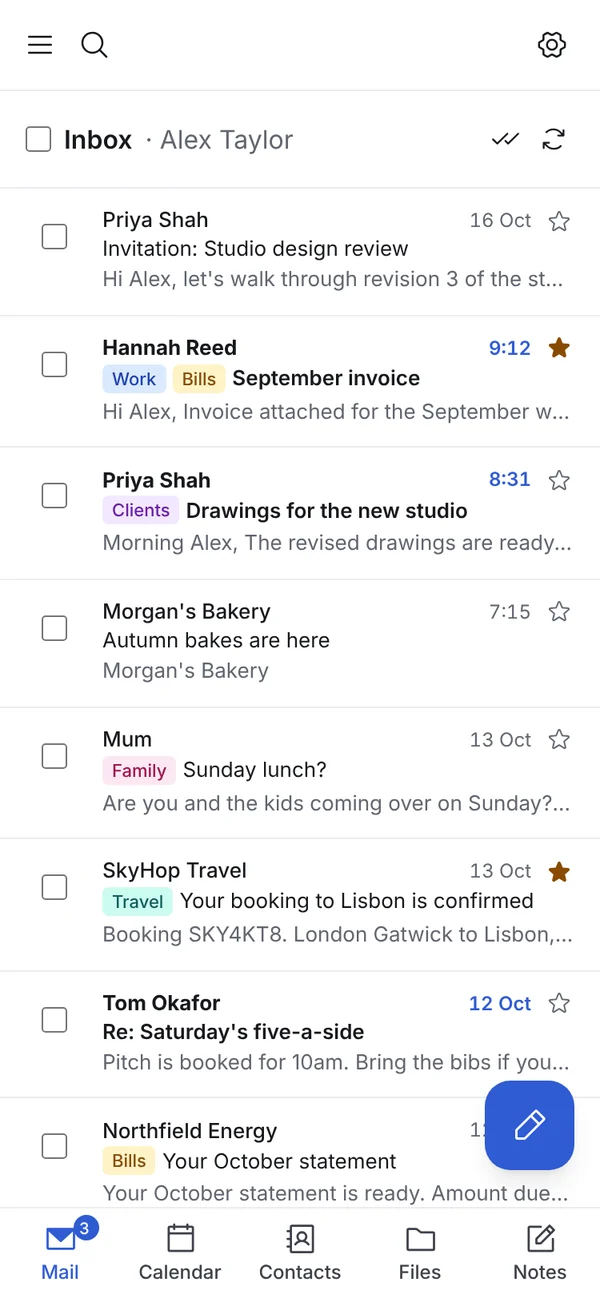
Mail App runs in any modern browser and installs as an app for free. With Mail App Pro you can also connect modern JMAP mail apps, and classic Outlook on Windows through Mail App Bridge.
// computer and phone app
Install it from your browser. No app store needed.
Open Mail App and add it to your phone's home screen, your Mac's Dock or your Windows taskbar. It opens in its own window, with push notifications and unread badge counts, on iPhone, Android, Mac and Windows.
Push notifications on your phone and computer
Light and dark mode that follows your device
Sign in with Face ID, Touch ID or Windows Hello
// jmap (pro)
JMAP, the modern open standard for fast email.
With Mail App Pro, your Mail App speaks JMAP. Any JMAP mail app on your computer or phone can read, search, file, flag, draft and send, and hears about new mail within about 10 seconds.
Near-instant pushNo old-style IMAP checking. Changes arrive in about 10 seconds.
Scoped API keysA JMAP app signs in with its own API key, limited to the mailboxes you allow.
Everything in stepSent mail, labels and webhooks work the same in webmail and in JMAP apps.
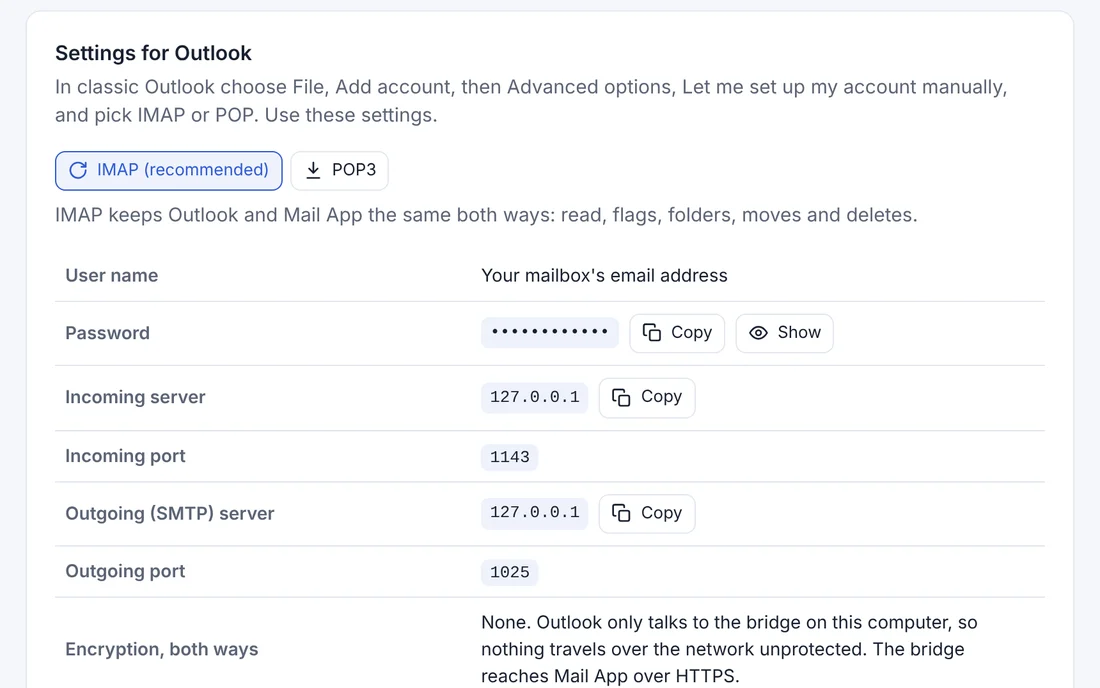
Mail App Bridge comes with Mail App Pro. It's a small Windows app that connects classic Outlook to your Mail App. Read or file a message in Outlook and it changes in webmail straight away. It sits quietly in your system tray, only listens on your own computer (127.0.0.1) and talks to Cloudflare over encrypted HTTPS.
Mail App Bridge
Classic Outlook on Windows, powered by Mail App on Cloudflare.
Install the bridge, paste in a Mail App API key and add your mailbox to Outlook with the settings it shows. Mail you send goes out through Mail App, so your Sent folders stay in step.
Needs Mail App 2.4 or later, Windows 10 or 11 and classic Outlook (2016, 2019, 2021, 2024 or Microsoft 365's classic desktop Outlook). The new Outlook for Windows can't use it, because Microsoft runs its connections through its own cloud servers.
// for developers
Build your own workflows.
Mail App has a JSON API with API keys you control, and signed webhooks for every email that comes in or goes out.